
The product
What the form knows before you type.
Premiums, read from the schedule
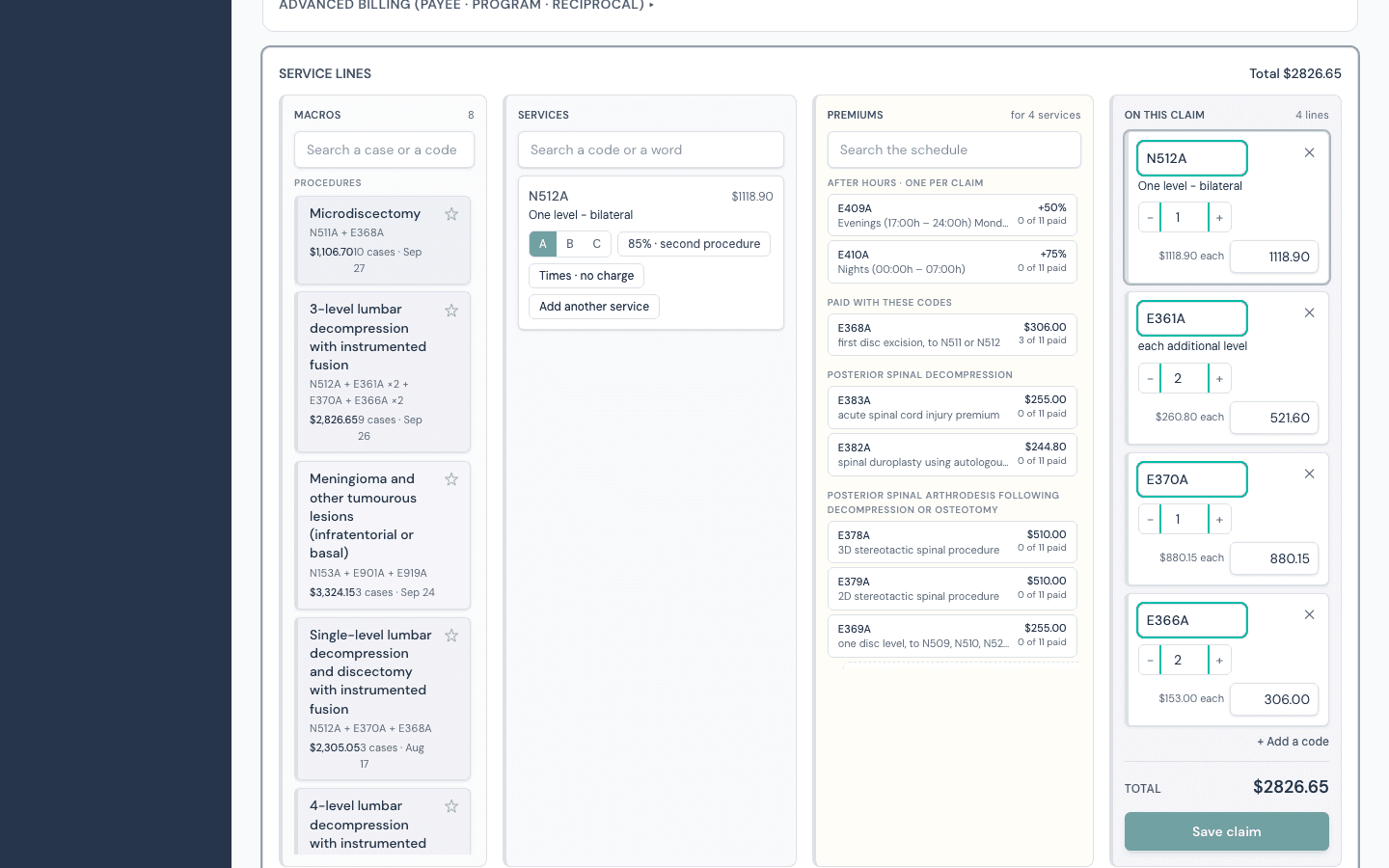
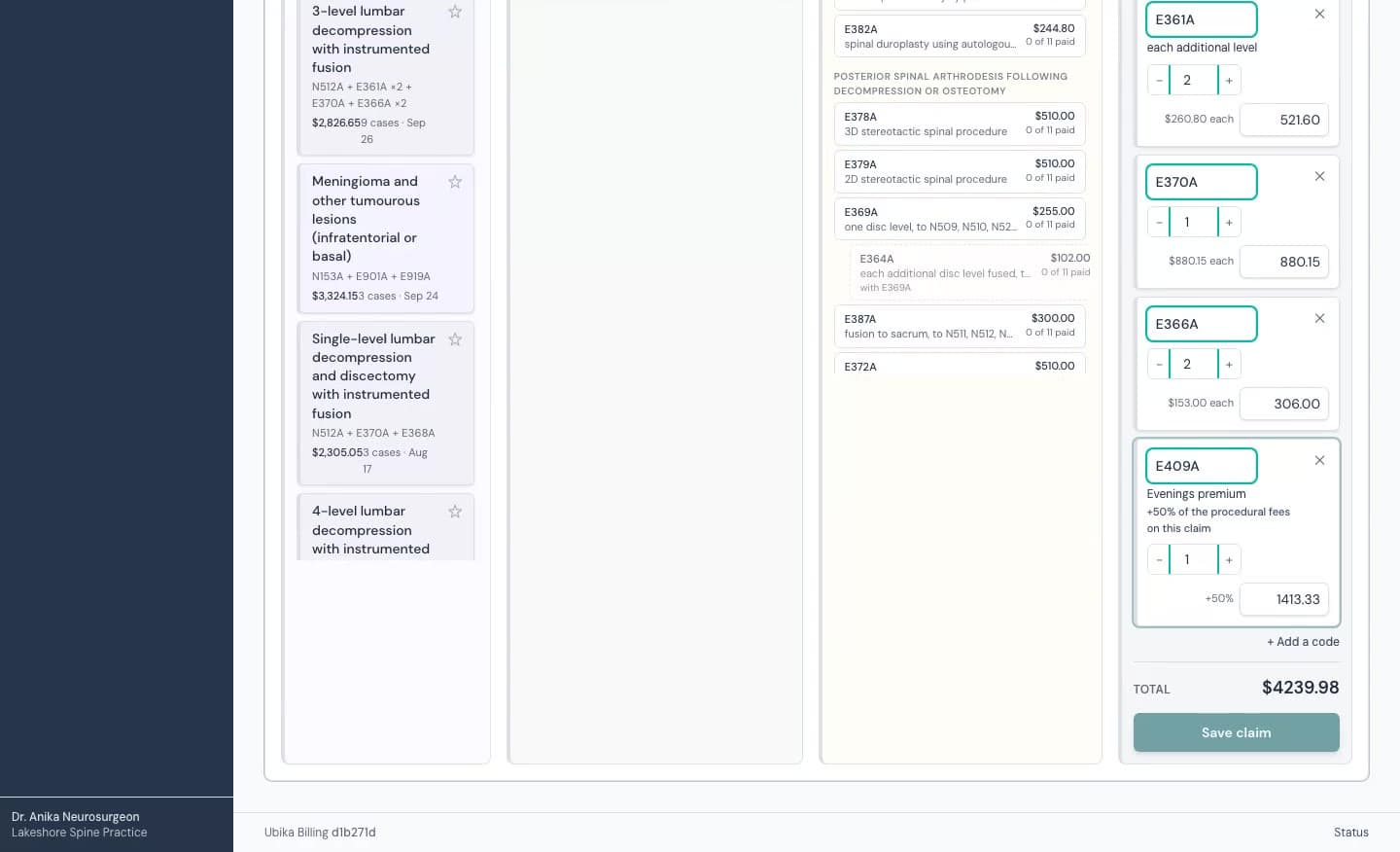
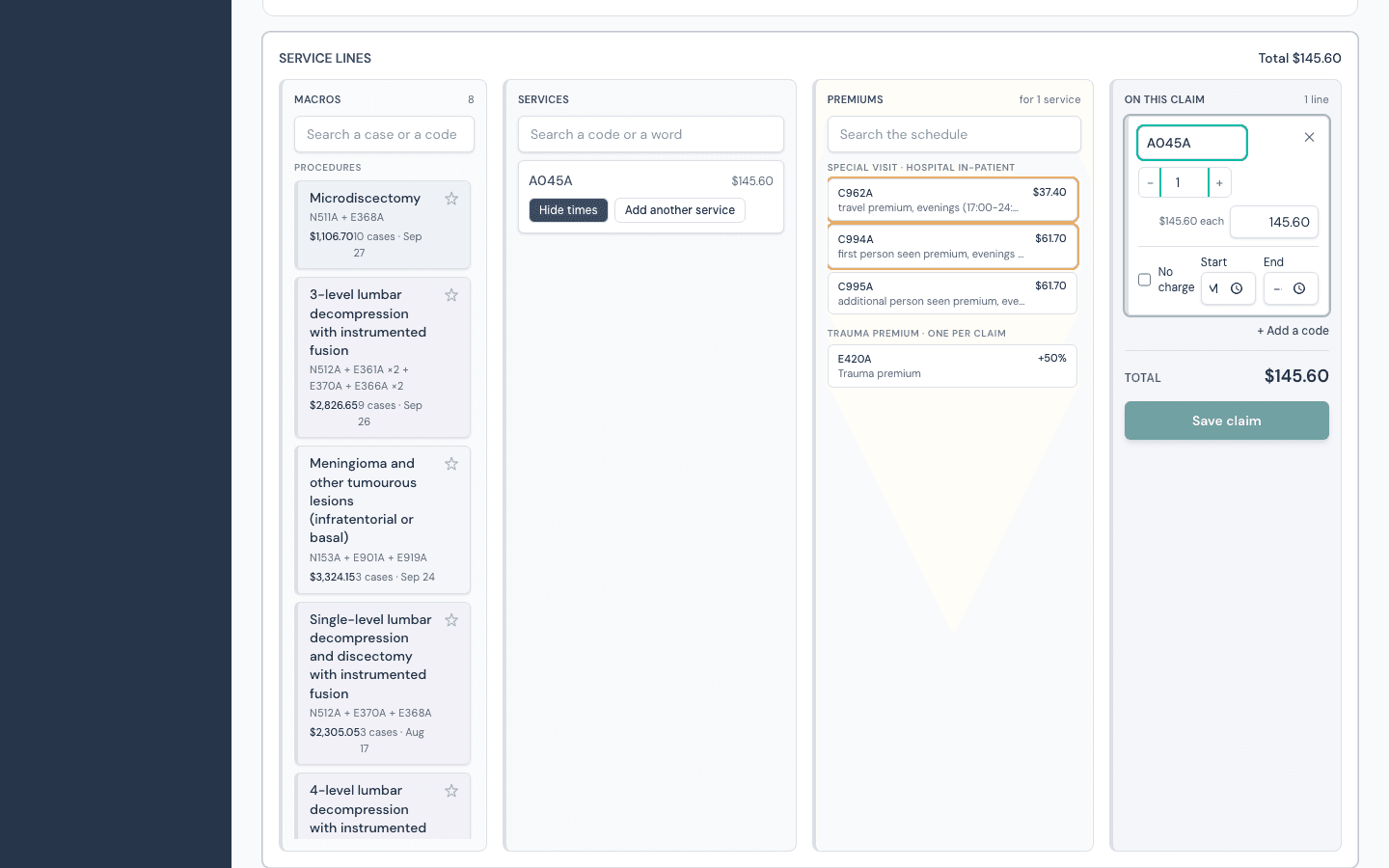
The premium column reads the Schedule of Benefits the way it is written. After-hours procedure premiums from GP104, one per claim. Add-ons named under your codes with their chains one step ahead, E370 then E366. Add-ons offered by the scope their own words state, such as to any intracranial procedure, and by their position on the page. The trauma premium from GP109. Special visit travel and first person seen codes by setting and time from Tables I to X. Every button carries the page and the reason.
And your own remittances
Every premium paid with these codes in at least a quarter of your paid claims leads the column, with the count on the button.
Macros you never built
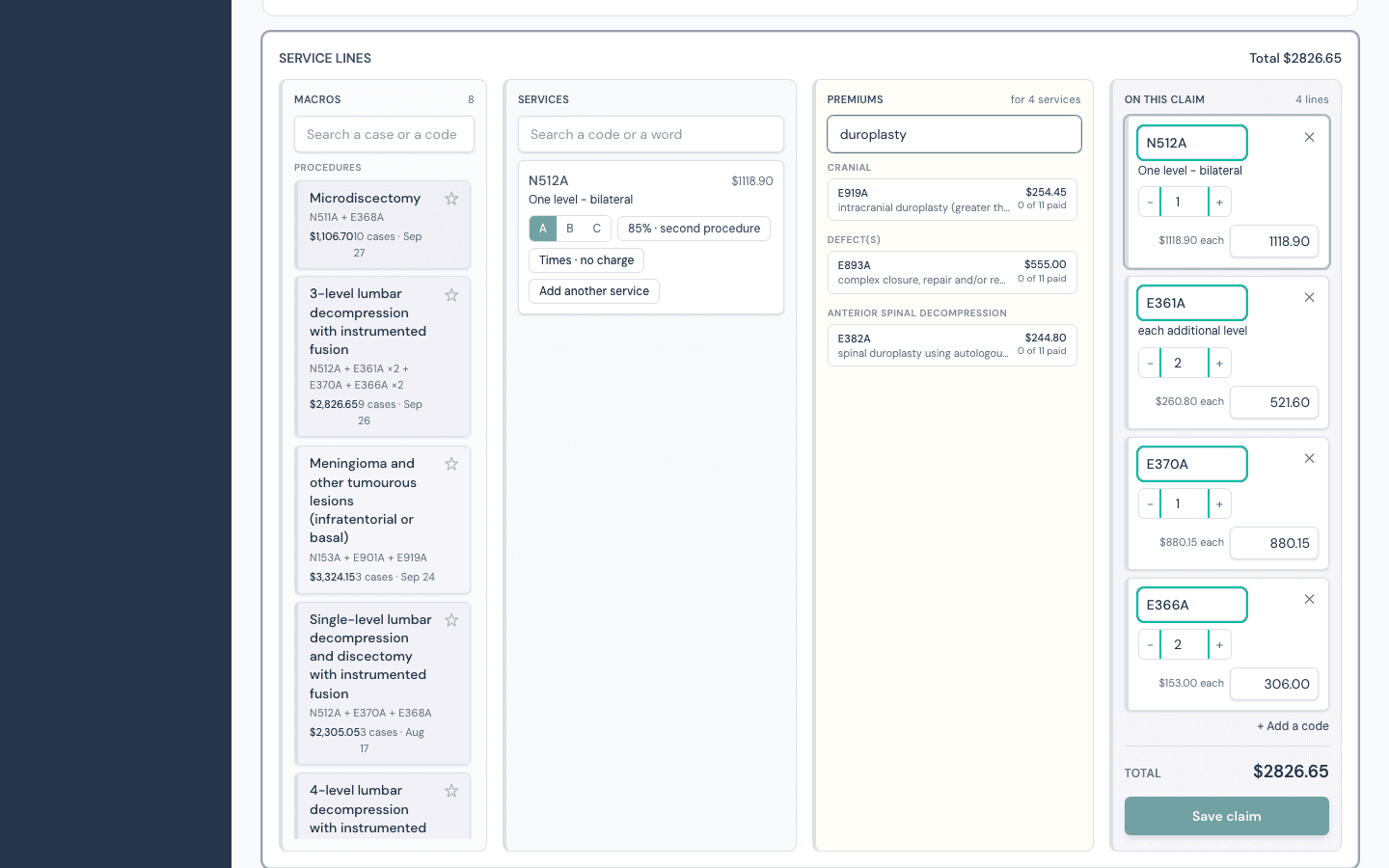
Every code set you have billed in your last 400 claims, labelled in plain words, counted, dated, starred to pin, searchable, and grouped as a stay is billed: procedures, then rounding, then discharge. Nothing is typed in. The codes and quantities are the lines as they were paid.
The stay, not the claim
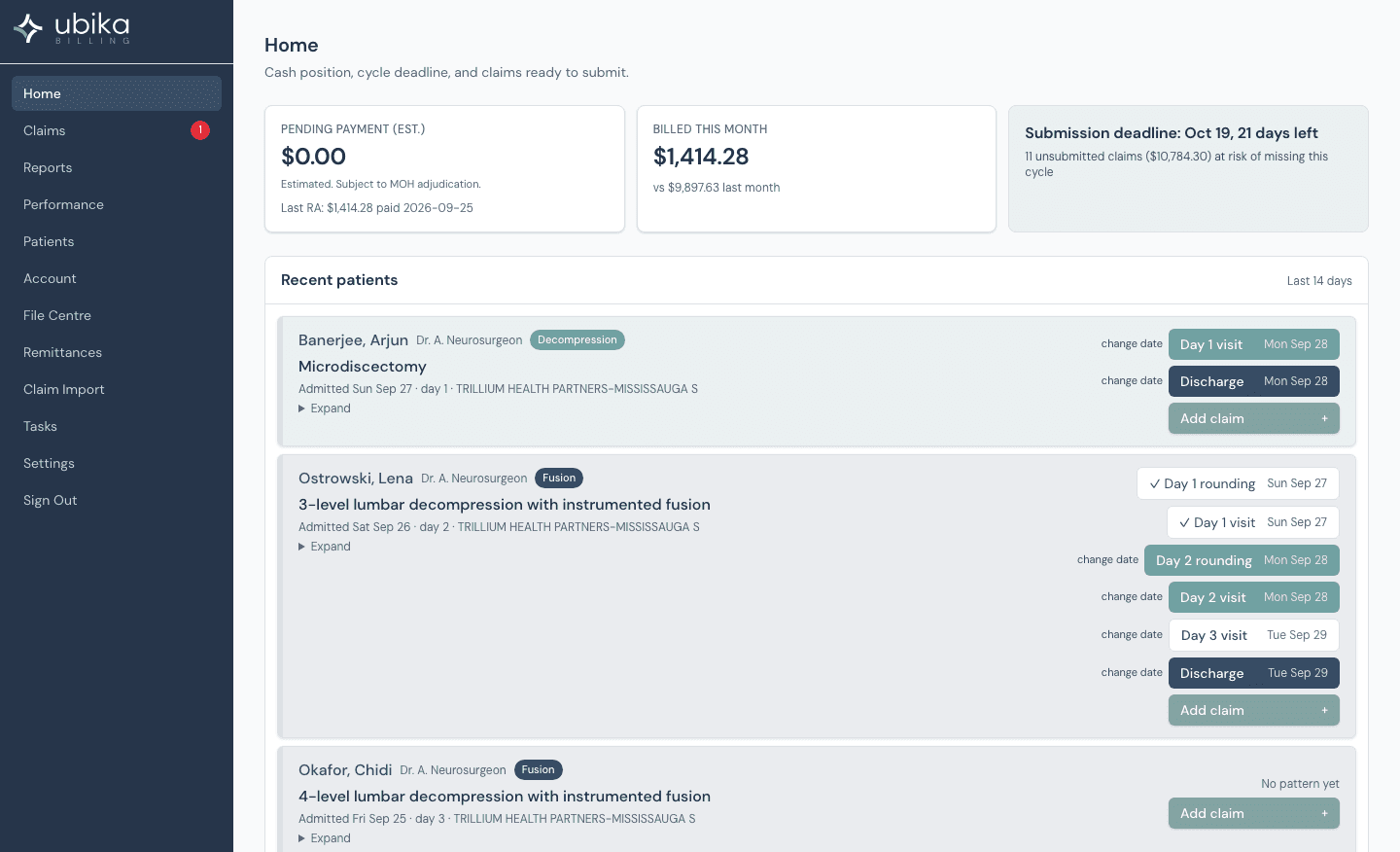
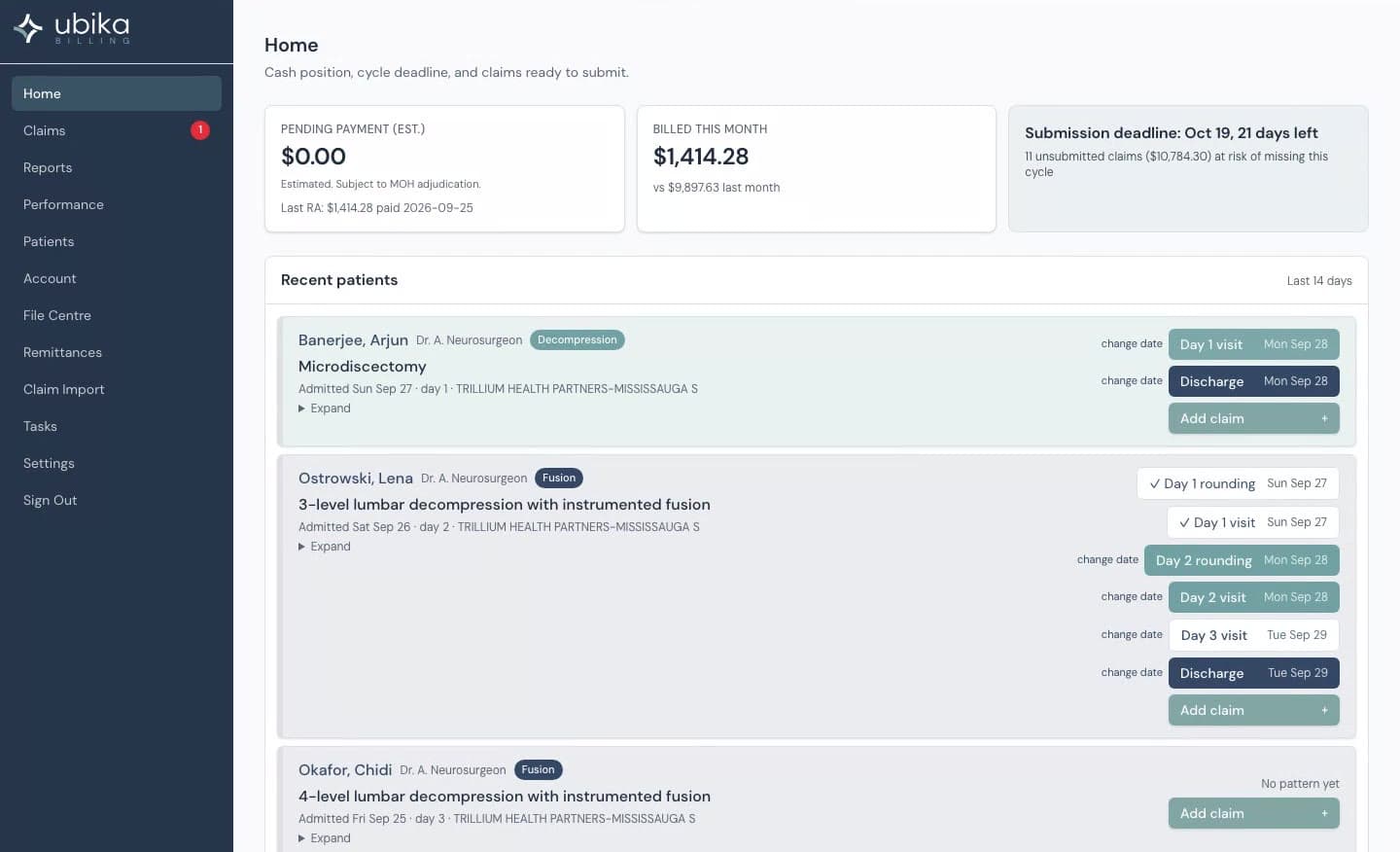
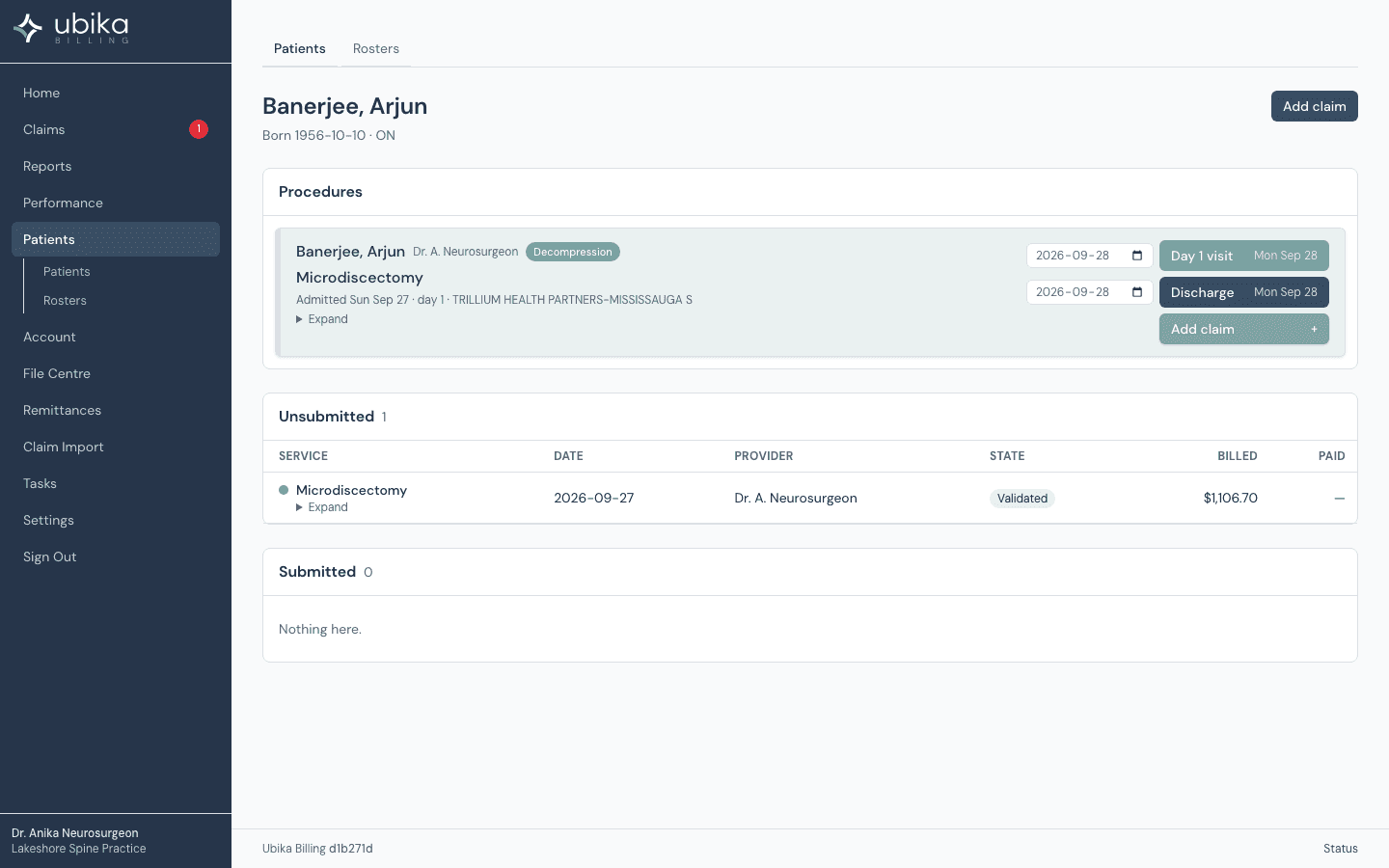
Recent patients appear on the home page with the reading of what was done and the next billable day: Day 1 rounding, Day 2, Discharge with a date to confirm. The pattern is yours, mined nightly from your paid claims. A procedure you almost always bill alone is recognised as day surgery and gets no rounding prompt.
Know what you made
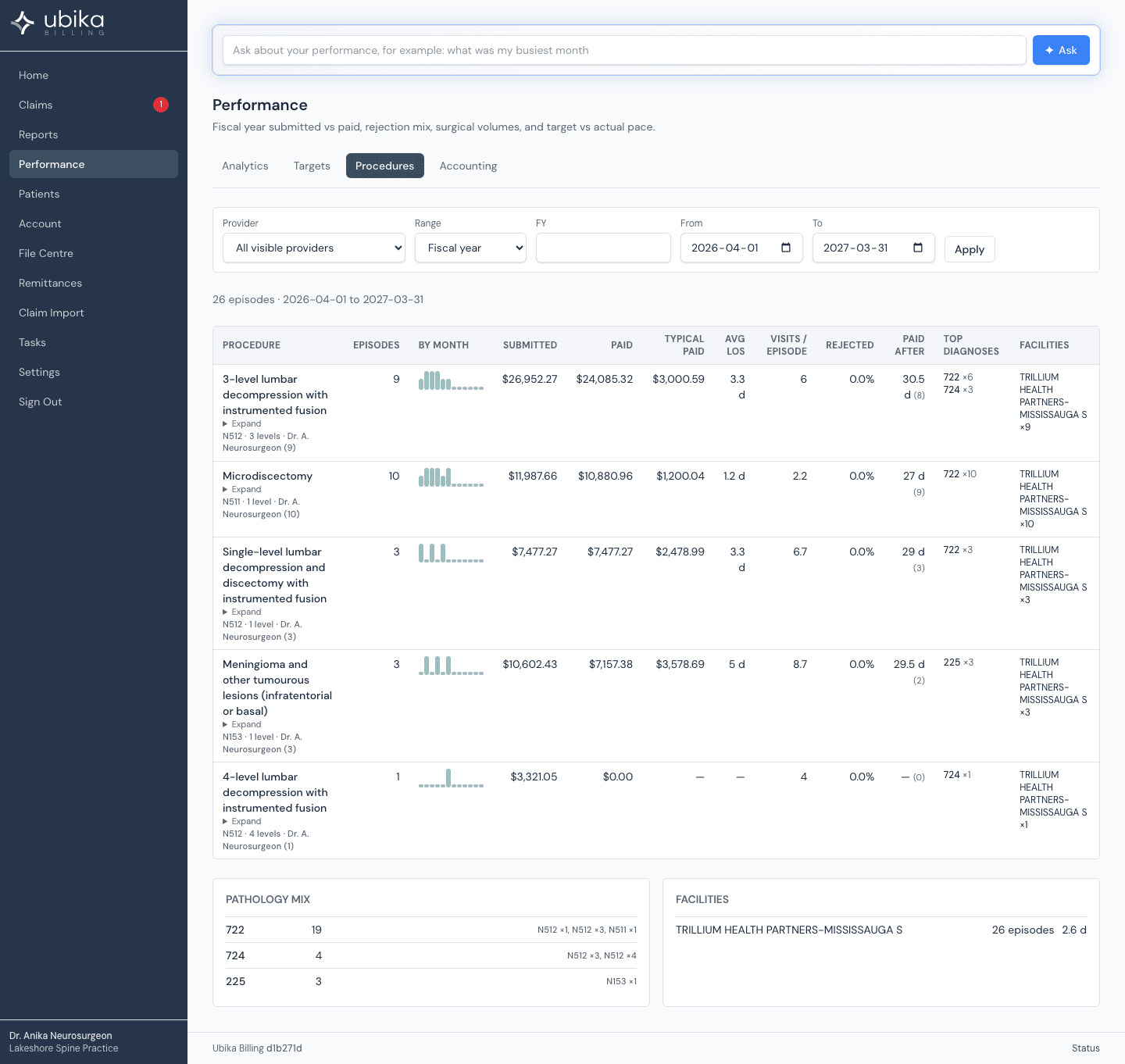
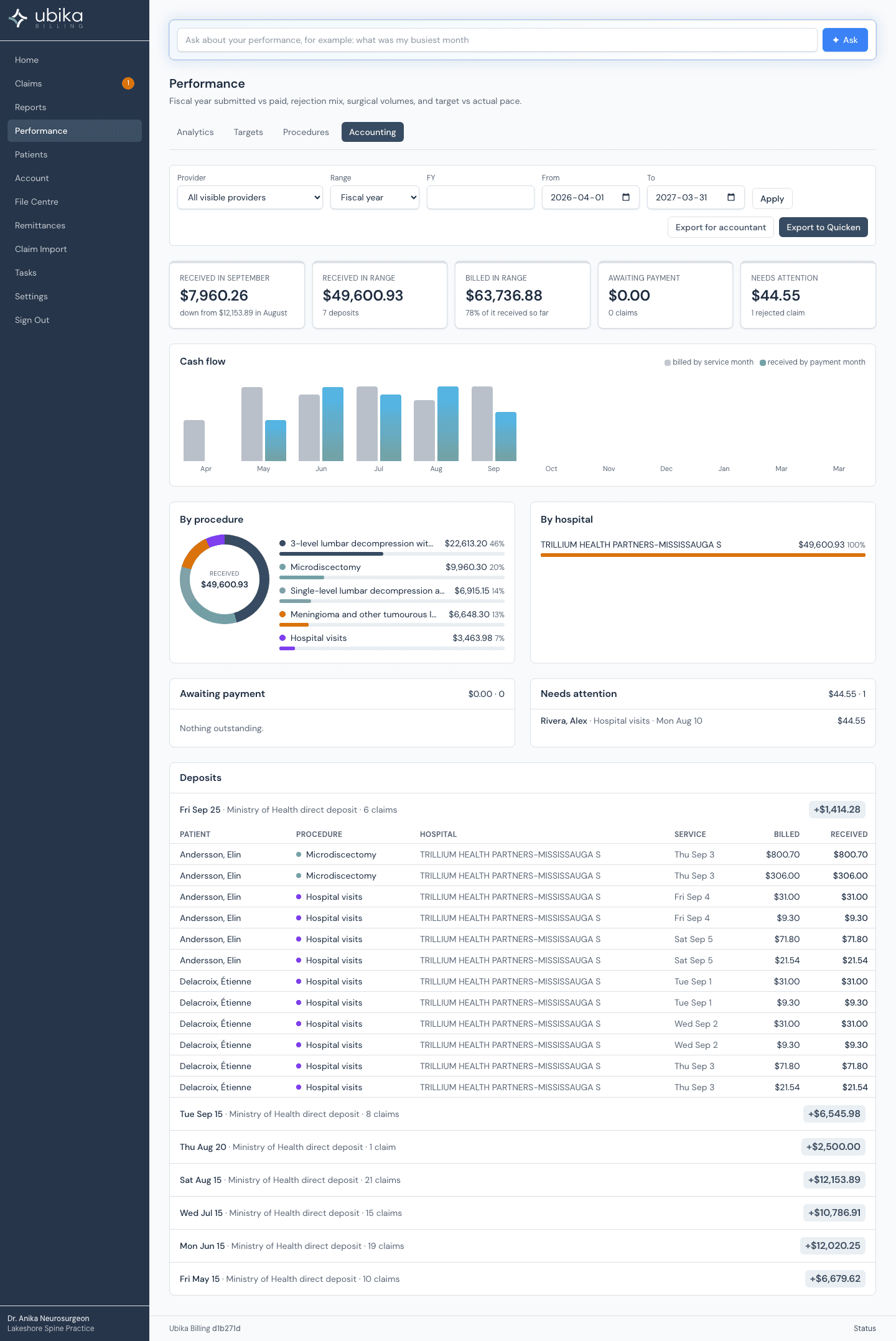
Procedures: cases, billed, received, per case, average length of stay, visits, discharge share, rejection share, payment lag, pathology, facility. Accounting: this month, received, billed, receivable, deposits and a register from remittance allocations. CSV for your accountant and QIF for Quicken, with no patient identifier in either file.
The ministry link, done properly
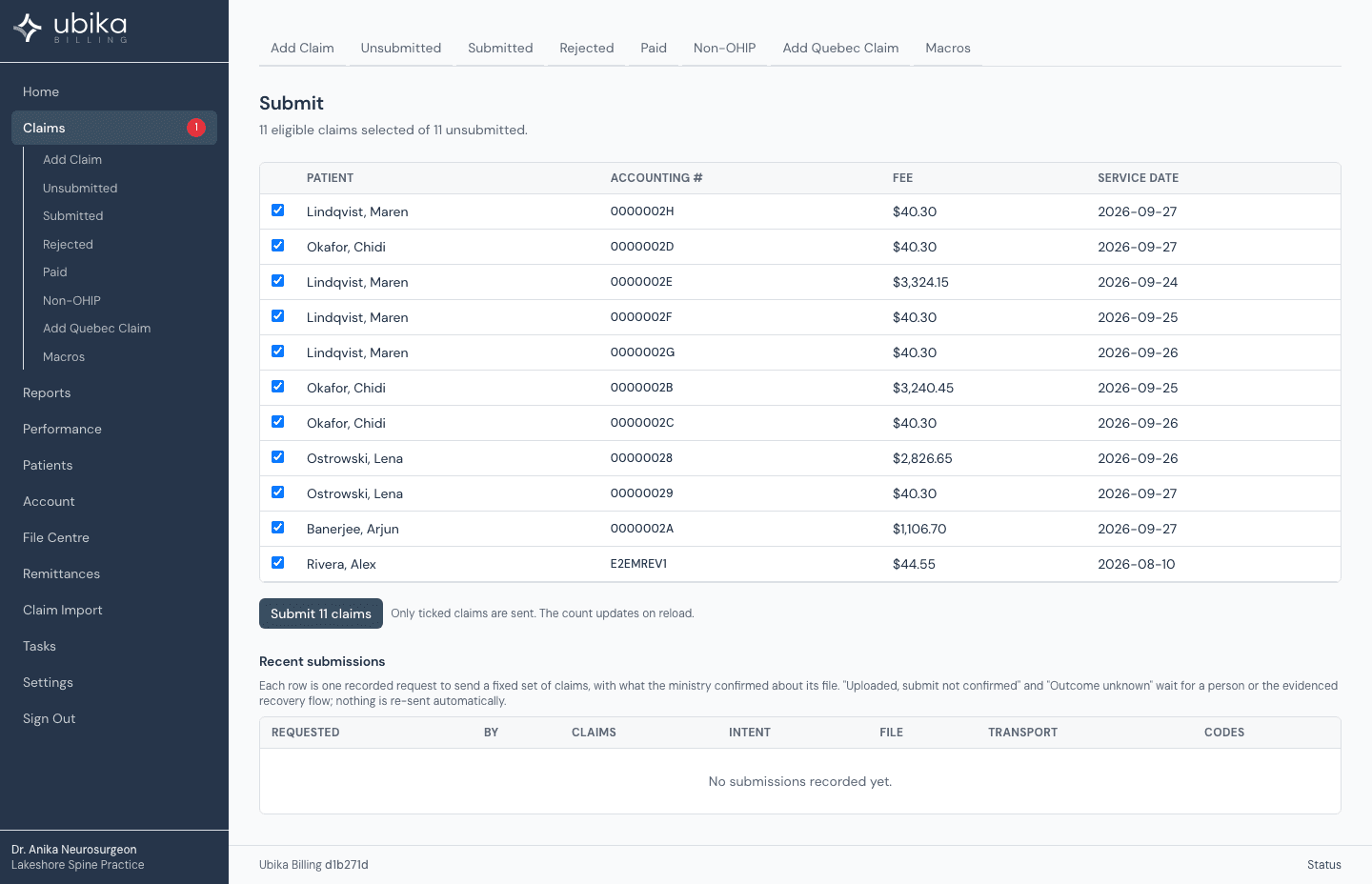
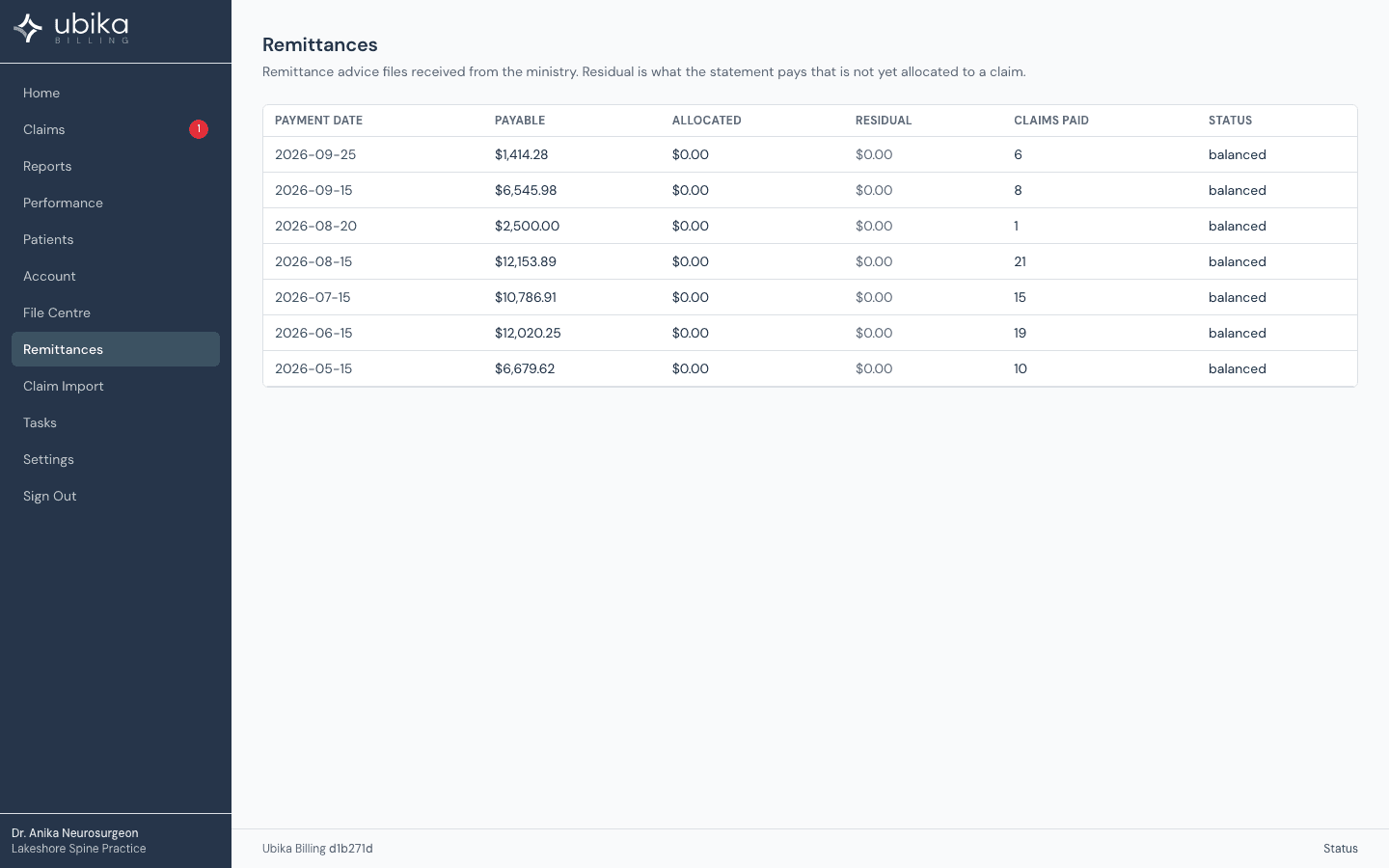
Claims go to the ministry through the MC EDT web service, with health card validation before you submit. A file is submitted once; if the outcome is unknown the application recovers with evidence or hands the decision to you. Remittances arrive as line-level allocations, every paid, adjusted and reversed line matched to its claim, and unmatched lines wait in a queue.
What it does not do yet
- There is no human billing-agent tier.
- Ontario only.
- The mobile apps are built and not yet in the stores; the web application works on a phone.